
Are you frustrated because your Bird Buddy camera won’t charge? You rely on this device to keep an eye on your feathered friends, but now it’s leaving you in the dark.
Don’t worry—this problem is more common than you think, and there are simple steps you can take to fix it. Keep reading to discover why your Bird Buddy camera might not be charging and how you can get it back to full power quickly.

Credit: support.mybirdbuddy.com
Common Charging Issues
Charging problems with your Bird Buddy Camera can be frustrating, especially when you rely on it for capturing those special bird moments. Understanding the common issues that stop your device from charging properly can save you time and hassle. Let’s look at some typical reasons your camera might not be getting the power it needs.
Battery Problems
The battery inside your Bird Buddy Camera can wear out over time. If you’ve noticed shorter usage times or the camera suddenly stops charging, the battery might be failing. Have you checked if the battery is swollen, damaged, or simply old? Replacing the battery could be the straightforward fix you need.
Sometimes, the battery isn’t seated correctly, causing poor connection. Opening the device carefully and ensuring the battery fits snugly can make a difference. If you haven’t replaced the battery in over a year, it’s worth testing with a new one.
Charger Compatibility
Using the wrong charger can prevent your camera from charging efficiently or at all. Not all chargers deliver the correct voltage or current your Bird Buddy Camera requires. Are you using the original charger that came with your device, or a third-party charger?
Try swapping chargers if you have another compatible one available. Chargers with too high or low power output can confuse the device’s charging system. Keep in mind that cables also matter; a damaged or low-quality cable can interrupt charging.
Charging Port Blockages
Dirt, dust, or debris in the charging port can stop the charger from making a proper connection. Have you inspected the port under good light? Even tiny particles can block the pins and prevent charging.
Use a soft brush or compressed air to gently clean the port. Avoid using sharp objects, as they might damage delicate components. Regularly checking and cleaning the port can prevent future charging issues.

Credit: support.mybirdbuddy.com
Troubleshooting Steps
If your Bird Buddy Camera isn’t charging, don’t worry just yet. There are simple troubleshooting steps you can try before considering a replacement. These checks often solve the problem quickly and save you time and hassle.
Inspect The Charging Cable
Start by examining the charging cable closely. Look for visible signs of damage like fraying, bends, or broken connectors. Even a small tear can stop the cable from delivering power properly.
Try using a different cable if you have one handy. Sometimes cables appear fine but have internal damage you can’t see. Switching cables helps you rule out if the issue is with the cable or the camera.
Clean The Charging Port
Dirt, dust, and lint often build up inside the charging port and block the connection. Use a soft brush or a toothpick to gently clean out the port. Be careful not to damage the pins inside.
Cleaning the port can make a huge difference. I once had a camera that refused to charge until I found a tiny piece of debris stuck inside. After a quick clean, it started charging perfectly again.
Reset The Camera
Sometimes, the camera’s software can freeze, causing charging issues. Try resetting it by holding down the power button for about 10 seconds or following the reset instructions in the manual. This can refresh the system and fix minor glitches.
If your camera starts charging after a reset, it’s a sign that a software hiccup was blocking the power flow. Have you ever noticed how a simple restart can solve tech problems? Your Bird Buddy Camera is no different.
Power Source Tips
Power issues with your Bird Buddy Camera often trace back to the source you use for charging. Ensuring the right power source can save you hours of frustration and keep your camera ready to capture every feathered visitor. Let’s dive into some power source tips that can help you troubleshoot and fix charging problems effectively.
Use A Reliable Power Outlet
Not all power outlets deliver steady energy. Using a faulty or loose outlet might cause intermittent charging or no charging at all.
Try plugging your charger into a different outlet that you know works well with other devices. Have you ever noticed a lamp flickering or dimming when plugged into a certain socket? That’s a sign the outlet might be unreliable for your camera.
Avoid Usb Hubs
Many people plug their Bird Buddy Camera into USB hubs for convenience, but these hubs can limit the power delivery. USB hubs often share power among multiple devices, reducing the amount your camera receives.
Plug your charging cable directly into a wall adapter or a computer’s USB port. This simple change has helped many users improve their charging speed and consistency.
Check Power Adapter Specs
Your camera needs the correct voltage and current to charge properly. Using an adapter with lower specs than recommended can prevent it from charging or even damage the battery over time.
Look at the adapter’s label and compare it with the Bird Buddy Camera’s charging requirements. If your adapter outputs less than 5V or 1A, it’s time to upgrade. Have you tried using your phone charger? Sometimes it’s not enough for your camera’s needs.
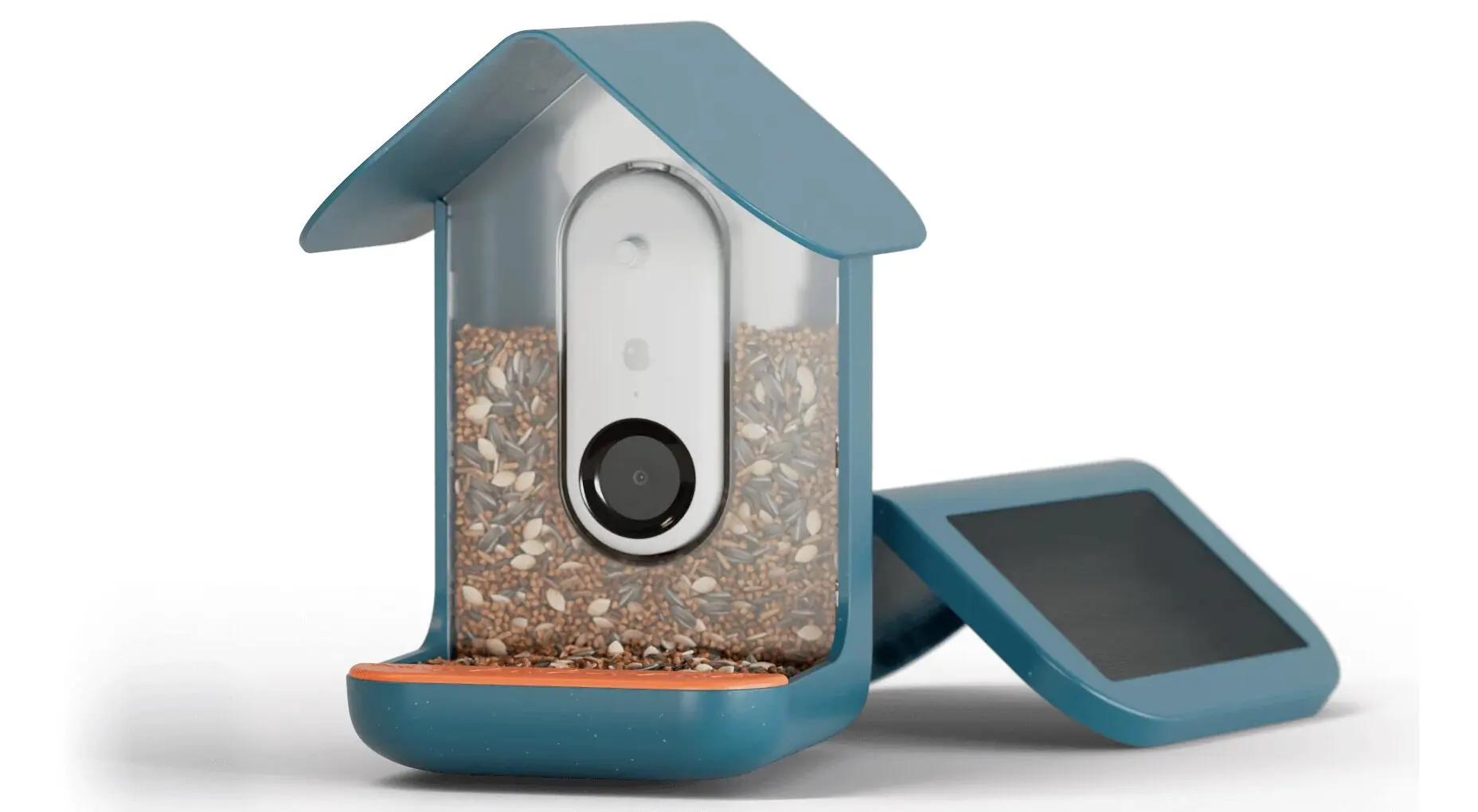
Credit: gearjunkie.com
Battery Maintenance
Battery maintenance plays a key role in keeping your Bird Buddy Camera charged and ready. Proper care extends battery life and improves device performance. Neglecting battery health can cause charging problems and reduce overall usability.
Proper Charging Habits
Use the original charger and cable supplied with the camera. Chargers with incorrect voltage or current may harm the battery. Charge your Bird Buddy Camera in a cool, dry place. Avoid charging near heat sources or in direct sunlight. Keep charging contacts clean and free from dust or dirt to ensure good connection.
Avoid Overcharging
Disconnect the camera once fully charged. Leaving it plugged in for long periods can degrade battery health. Overcharging causes overheating and shortens battery lifespan. Use a timer or reminder to unplug the device after charging. This simple step helps maintain battery efficiency over time.
Storage Recommendations
If you do not plan to use the camera for a while, store it properly. Charge the battery to around 50% before storage. Avoid leaving the battery completely drained or fully charged during long storage periods. Store the camera in a cool, dry place away from extreme temperatures. Check and recharge the battery every few months to prevent deep discharge.
When To Seek Professional Help
Knowing when to seek professional help is key if your Bird Buddy camera won’t charge. Some problems need expert attention to avoid further damage. Trying to fix complex issues alone might void the warranty or worsen the problem. Recognize signs that show it’s time to get professional support.
Warranty And Support
Check your camera’s warranty status before attempting repairs. Warranty often covers hardware issues and charging faults. Contact the official support team for guidance. They can provide troubleshooting steps or authorize repairs. Using unauthorized fixes might cancel your warranty benefits.
Authorized Service Centers
Authorized service centers have trained technicians for Bird Buddy cameras. They use genuine parts and follow proper repair methods. Sending your camera to these centers ensures quality repairs. Avoid local repair shops without certification to protect your device. Service centers often offer repair tracking and customer support.
Replacement Options
If your camera is beyond repair, replacement could be the best choice. Check if your warranty or support plan includes replacement for faulty units. Some manufacturers offer discounted replacement programs. Evaluate the cost of repair versus a new device. Professional advice can help you decide the right option.
Frequently Asked Questions
Why Is My Bird Buddy Camera Not Charging Properly?
Your Bird Buddy camera may not charge due to a faulty cable, dirty charging port, or power source issues. Check all connections, clean the port gently, and try a different charger or outlet to solve the problem.
How Can I Fix Bird Buddy Camera Charging Issues?
To fix charging issues, inspect the charging cable for damage, clean the charging port carefully, and use a compatible charger. Restart your camera and ensure the power source is reliable to restore proper charging functionality.
What Causes Bird Buddy Camera Battery Not To Charge?
Battery charging problems often result from worn-out batteries, damaged cables, or software glitches. Replace the battery if old, use original accessories, and update the camera’s firmware to ensure smooth charging.
Can A Dirty Charging Port Stop Bird Buddy Camera Charging?
Yes, dirt or debris in the charging port can block the connection and prevent charging. Clean the port gently with a soft brush or compressed air to restore charging capability.
Conclusion
Troubleshooting your Bird Buddy camera charging issue is possible. Check the charging cable and port for damage. Ensure the power source works well. Clean any dirt or dust blocking connections. Restart the camera to refresh its system. Sometimes, a simple reset fixes many problems.
If issues continue, contact customer support for help. Regular care can prevent future charging problems. Stay patient; your camera will charge again soon. Keep your device ready to capture every bird moment.




