Are you thinking about getting a bird feeder camera to watch your feathered visitors up close? You might be wondering if these cameras really need WiFi to work properly.
Understanding this can save you time, money, and frustration. Whether you want to share live videos or simply record bird activity, knowing how WiFi plays a role can help you make the best choice for your setup. Keep reading to discover how WiFi impacts bird feeder cameras and what options you have to enjoy every moment with your backyard birds.

Credit: www.amazon.com
Benefits Of Bird Feeder Cameras
Bird feeder cameras bring the outdoors right to your fingertips. They offer more than just a live view of your feathered visitors. These devices help you connect deeply with nature while providing useful insights about the birds you attract.
Capturing Bird Behavior
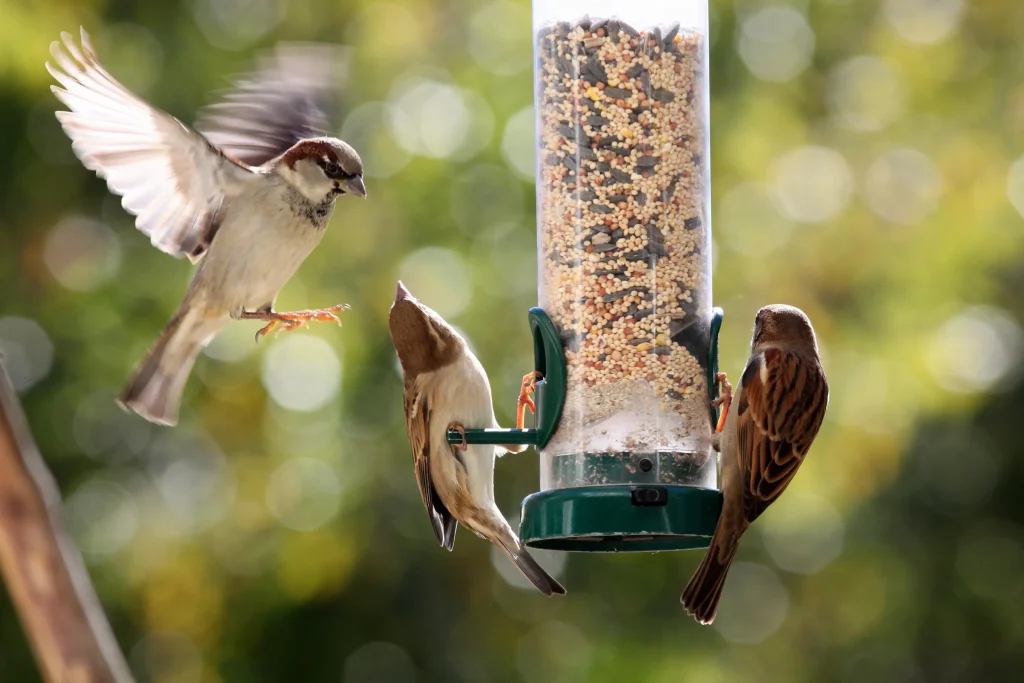
Bird feeder cameras let you observe birds in ways you might miss with the naked eye. You can watch how they feed, interact, and even court each other without disturbing their natural habits. This close-up view reveals details like how different species handle food or react to changes in their environment.
Have you ever wondered why some birds prefer certain seeds or how they share space at the feeder? A camera helps answer these questions by recording their actions continuously, so you don’t have to rely on memory alone.
Enhancing Bird Watching Experience
Watching birds through a camera makes the experience more accessible and enjoyable. You can view footage anytime, slow down fast movements, or zoom in on specific birds. This flexibility is perfect if you have limited time or can’t always be outside.
Plus, sharing live streams with friends or family turns bird watching into a social activity. It’s amazing how a simple camera can bring people together over a shared love of nature.
Monitoring Bird Health
Bird feeder cameras can also serve as a tool for monitoring the health of your visiting birds. By observing their behavior and physical condition regularly, you can spot signs of illness or stress early. This is especially helpful if you care about supporting local wildlife.
Noticing changes like unusual feather loss or lethargy might prompt you to adjust feeding habits or consult with wildlife experts. Isn’t it worth having that extra set of eyes looking out for your backyard friends?

Credit: www.amazon.com
Role Of Wifi In Bird Feeder Cameras
Wifi plays a key role in the functionality of bird feeder cameras. It connects the camera to your home network. This connection allows you to interact with the camera in many ways. Wifi enhances the experience of watching birds remotely. It also helps in storing and sharing bird videos and photos. Without wifi, these features become limited or unavailable.
Real-time Streaming
Wifi enables real-time streaming of bird activity. You can watch birds live on your smartphone or computer. This immediate access brings the outdoors inside. The camera sends video data over the internet quickly. This way, you never miss a moment at your feeder.
Remote Access And Control
Wifi allows you to control the camera from anywhere. Adjust settings, zoom in, or start recording remotely. You do not need to be near the feeder. This flexibility makes it easier to capture perfect shots. Remote access also helps in troubleshooting camera issues.
Data Storage And Sharing
Wifi supports uploading photos and videos to the cloud. This saves memory on the camera itself. Cloud storage keeps your files safe and organized. Sharing your bird videos with friends becomes simple. Wifi makes storing and sharing bird moments effortless.
Alternatives To Wifi Connectivity
Bird feeder cameras often rely on wifi for live streaming and remote access. Still, wifi is not the only way to connect these devices. Alternatives exist for those without stable internet or who want simpler setups. These options let you enjoy bird watching without wifi.
Using Sd Cards
Many bird feeder cameras come with slots for SD cards. These cards store videos and photos directly on the device. You remove the card to view or transfer the files to a computer. This method needs no internet connection. It is simple and reliable for recording bird activity. The only downside is you can’t watch live footage remotely.
Bluetooth Options
Some cameras support Bluetooth to connect with nearby devices. Bluetooth allows short-range data transfer without wifi. You can download videos or images to a phone or tablet. The connection works within a limited distance, usually under 30 feet. Bluetooth is energy-efficient and easy to use. It offers a wireless alternative when wifi is unavailable.
Wired Connections
A wired connection uses cables like USB or Ethernet to link the camera to a device. This method provides stable data transfer without relying on wireless signals. Ethernet cables can connect to a router for network access without wifi. USB connections allow direct data transfer to a computer. Wired options are secure and reliable but may limit camera placement.
Choosing The Right Bird Feeder Camera
Choosing the right bird feeder camera can transform your backyard birdwatching experience. With a variety of options available, understanding key features can help you make an informed decision. From the clarity of the images to how the camera connects to your devices, each aspect plays a crucial role in your overall satisfaction.
Camera Resolution And Quality
The resolution of your bird feeder camera directly influences the detail and clarity of the images you capture. Higher resolution cameras provide crisp and clear images, allowing you to see intricate details like feather patterns and colors. Aim for at least 1080p resolution to enjoy vibrant and engaging bird photos.
Consider the lighting conditions around your bird feeder. Cameras with good low-light performance ensure you don’t miss any action during dawn or dusk. Some cameras even offer night vision, perfect for capturing images of nocturnal visitors.
Power Sources And Battery Life
Power sources and battery life are vital considerations for your bird feeder camera. If your camera is battery-powered, look for models with long-lasting batteries to reduce frequent recharging. Solar-powered options can be a sustainable choice, especially if your feeder is in a sunny location.
Think about the accessibility of the camera’s location. If it’s challenging to reach, a model with a longer battery life or alternative power sources like solar panels can save you time and effort. Choosing the right power source can enhance your birdwatching experience by ensuring uninterrupted footage.
Connectivity Features
Do bird feeder cameras need WiFi? Not all do, but WiFi-enabled cameras offer significant advantages. They allow you to view live streams and receive instant notifications on your smartphone, keeping you updated on any bird activity.
If WiFi is unavailable, some cameras use SD cards to store footage, which you can later transfer to your computer. Consider how you want to access and share your birdwatching moments when choosing connectivity features.
Ask yourself what level of connectivity you need. Do you want real-time updates or are you okay with reviewing footage later? Your answer will guide you towards the right choice for your bird feeder camera.
Improving Camera Views Without Wifi
Improving camera views without wifi requires smart adjustments. You can capture clear images and videos without online connection. It depends on how you set up the camera and care for it.
Optimal Camera Placement
Place the camera where birds visit often. Choose spots near feeders or birdhouses. Avoid areas with too much movement that may scare birds. Mount the camera at eye level or slightly above for better angles. Use a stable surface or secure mounting to prevent shaking.
Lighting And Weather Considerations
Natural light helps cameras capture sharp images. Position the camera to face the light source, not against it. Early morning or late afternoon light works best. Protect the camera from rain, snow, and strong wind. Use a small cover or shield to keep the lens dry and clear.
Regular Maintenance Tips
- Clean the camera lens regularly to remove dust and smudges.
- Check battery levels and replace or recharge as needed.
- Inspect mounting points for stability and tighten if loose.
- Clear away cobwebs or debris near the lens area.
- Test the camera periodically to ensure it records properly.

Credit: www.bilantan.com
Troubleshooting Connectivity Issues
Connectivity issues with bird feeder cameras can be frustrating, especially when you’re eager to catch every flutter and chirp. These problems often stem from weak signals, outdated firmware, or network security settings. Understanding how to troubleshoot these common obstacles can help you maintain a steady connection and enjoy uninterrupted birdwatching.
Signal Strength Tips
Weak WiFi signals are the most frequent cause of connection drops. Try moving your router closer to the bird feeder camera or installing a WiFi extender to boost the signal. Walls, metal objects, and even thick foliage can block the signal, so consider the physical environment carefully.
Have you checked if your bird feeder camera supports 2.4 GHz WiFi? This frequency often provides better range compared to 5 GHz, which is great for outdoor setups. Use apps like WiFi Analyzer to see where your signal is strongest and adjust your setup accordingly.
Firmware Updates
Outdated firmware can cause your camera to lose connection or perform poorly. Check the manufacturer’s website or app regularly for updates. Installing the latest firmware can fix bugs, improve stability, and sometimes add new features.
Think about the last time you ignored a prompt to update your phone’s software—did it run slower? The same principle applies to your bird feeder camera. Staying up-to-date ensures your device communicates efficiently with your network.
Network Security Concerns
Security settings on your WiFi network might block your camera from connecting properly. Firewalls or MAC address filtering can prevent new devices from joining. Make sure your camera’s MAC address is whitelisted if your router uses such restrictions.
Also, consider the type of password encryption your network uses. Some cameras have trouble connecting to networks secured with WPA3, so switching to WPA2 temporarily can help isolate the issue. Are you confident your network settings aren’t unintentionally locking out your camera?
Frequently Asked Questions
Do Bird Feeder Cameras Require Wifi Connection?
Most bird feeder cameras need WiFi for live streaming and remote access. Without WiFi, some models record locally but lack real-time viewing features.
Can Bird Feeder Cameras Work Offline Without Internet?
Yes, some cameras store footage on SD cards offline. However, you won’t get live alerts or remote viewing without internet.
How Does Wifi Improve Bird Feeder Camera Performance?
WiFi enables instant video uploads and notifications. It allows live streaming, remote control, and easy sharing of birdwatching moments online.
Are There Bird Feeder Cameras With Cellular Options?
Yes, some advanced models use cellular data instead of WiFi. These work well in remote areas without traditional internet access.
Conclusion
Bird feeder cameras often need WiFi to work well. WiFi helps send clear, live pictures to your phone. Without WiFi, you might miss some bird moments. Some cameras save videos inside, but WiFi adds convenience. Choose a camera that fits your home’s WiFi strength.
Good WiFi makes watching birds easier and more fun. Think about your needs before buying a camera. Enjoy your bird watching with or without WiFi. It all depends on how you want to watch.